
CTM Client Portal
Your policy, whenever you need it
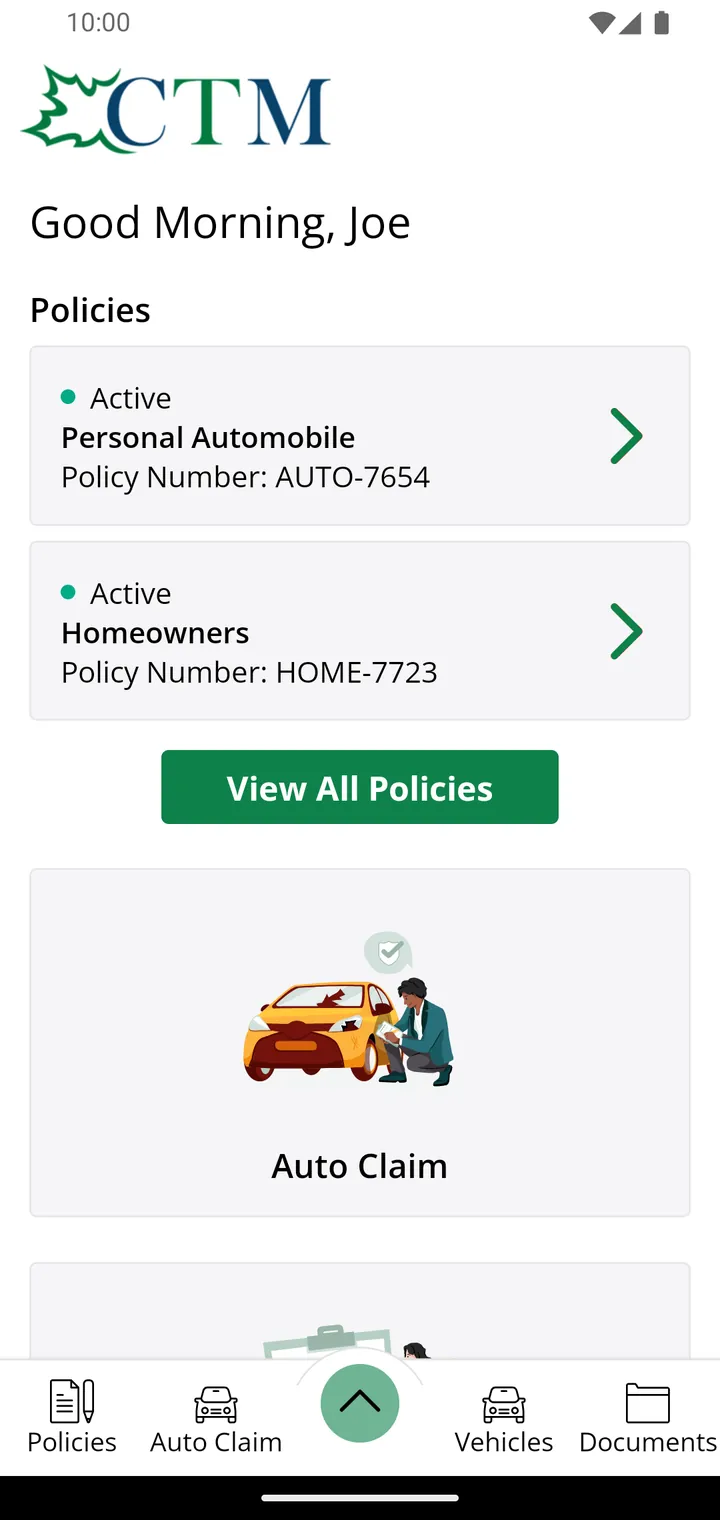
View your policy documents, proof of auto insurance, and vehicle details anytime. Need to make a claim? Report it instantly from your phone or computer, 24/7.
What is it
A secure account of your own
The Client Portal is your personal account with CTM Insurance. It's one secure place for the information you need most. Access your account anytime, anywhere through our mobile app or a web browser using a single login.
It doesn't replace the personal service you receive from our team. It simply makes routine tasks easier, whether you're checking a renewal date, reviewing policy information, or pulling up proof of insurance at the roadside. For questions, advice, or help with your coverage, our team is always just a phone call away.
The benefits
Why our clients use it
Answers outside office hours
Evenings, weekends, and holidays included. Access your policy information whenever you need it, without waiting until business hours.
Proof of insurance on hand
Proof of insurance, right when you need it. Pull up your auto liability card in seconds, without searching through the glove box.
Your documents in one place
Policy wordings, declarations, and renewal documents, all in one place and available to view or download whenever you need them.
Report an auto claim right away
Start an auto claim from the app while you’re still at the scene, with the details fresh and readily available.
Private and secure
Protected by secure encryption and accessible only to you. Your information remains private, and CTM staff will never ask for your password.
Still the same people
The portal handles the routine. For coverage questions, policy changes, or personalized advice, our client service team is just a phone call away.
Multiple ways to access
Access your account, your way
One account, wherever you are. Access your information through the CTM app or a web browser on your computer, tablet, or phone. Everything stays up to date, so the information you need is always within reach.
On the web
Open it in any browser, on any computer, tablet or phone. Nothing to install — just sign in.
On iPhone or iPad
Free from the App Store, for iOS 15.1 or later. Best for proof of insurance and for starting an auto claim at the scene.
On Android
Free from Google Play, for Android phones and tablets. Best for proof of insurance and for starting an auto claim at the scene.
Getting started
Register once and get started in minutes
You only need two things to get started: your policy number and the email address we have on file. If you’re not sure which email is associated with your policy, give us a call and we’ll be happy to help.
- Choose Register on the web portal or in the app.
- Enter your policy number and email exactly as they appear on your documents.
- Set your password from the link we email you, and you are in.
Having trouble? The most common reason registration fails is an email address that has changed since your policy was written. One phone call fixes it — we will update your file and you can register straight away.
Questions
Frequently asked
What is the CTM client portal?
It is your own secure account with CTM Insurance. It gives you access to your policy information whenever you need it — not only during office hours. You can open it in a web browser on any computer, or install our free app on an iPhone or Android phone.
Does it cost anything?
No. The portal and the mobile app are free to every CTM policyholder. There is no subscription and no charge for using them.
How do I sign up?
You will need your policy number and the email address CTM has on file for you. Choose Register, enter those details, and you will receive an email to set your password. If your email address has changed or you are not sure which one we have, call us at (888) 302-6052 and we will update it for you first.
Do I have to use the app, or can I just use a browser?
Either. The same account works in a web browser and in the app — you register once and sign in anywhere. Many clients use the browser at home and the app when they are out.
I forgot my password. What do I do?
Use the Forgot password link on the sign-in screen and a reset email will be sent to you. If you no longer have access to that email address, call us at (888) 302-6052 and we will help you sort it out.
Is my information secure?
Yes. The portal is password protected and all information travels over an encrypted connection. Please use a password you do not use anywhere else, and never share your sign-in details — CTM staff will never ask you for your password.
Can someone else on my policy have their own login?
Call us and we will let you know what is possible for your particular policy. Arrangements differ depending on how the policy is set up.
I am having trouble getting in — who do I call?
Call us at (888) 302-6052 and ask for client service. We are open Monday to Friday, 8:30 am – 4:30 pm. You can also send us a message using the form at the bottom of this page.
Not sure where to start?
Give us a call and our client service team will walk you through setting up your account. It usually takes about five minutes.
